Cable Size Calculator UK: The No-Nonsense Guide to Getting Your Wiring Right First Time
Pick the wrong cable size and you're either looking at a fire hazard or a wallet-draining overkill. Neither's a great outcome. This guide explains how cable sizes work in the UK, how to measure and identify them, and how to calculate the right one for your job — with a cable size calculator on hand to crunch the numbers when your brain's had enough.
Why Cable Size Matters (More Than You'd Think)
Getting cable size right isn't just box-ticking — it's the difference between a safe installation and one that'll keep a fire investigator busy. Undersized cables overheat, melt their insulation, and in the worst cases, start fires. Oversized cables cost more and are a nightmare to terminate neatly. It's like ordering a van when you needed a Transit: technically it fits, but nothing about it's convenient.
The sweet spot is a cable rated to handle your load comfortably, without excess. Every job has one — you just need to find it.
How Cable Sizes Are Measured in the UK
Here's the bit that trips people up. In the UK, cable size refers to the cross-sectional area of the conductor, measured in square millimetres (mm²) — not the overall thickness of the cable including its sheath. So when someone says "2.5mm² twin and earth", they mean the copper inside is 2.5mm² in cross-section. The outer jacket is just packaging.
- Metric (mm²): The UK standard. You'll see cables labelled 1.0mm², 1.5mm², 2.5mm², 4.0mm², and so on. '2.5mm² twin and earth' is the bread-and-butter cable for socket circuits.
- Imperial (AWG): Crops up in older installations or imported kit. For reference, 2.5mm² is roughly equivalent to 14 AWG — handy to know if you're working on something from another era.
Common Cable Sizes and Their Uses
Before you reach for the cable size calculator, here's a quick-reference table for the cables you'll encounter most often in UK domestic work:
| Cable Size (mm²) | Typical Use | Max Current (A)* |
|---|---|---|
| 1.0 | Lighting circuits | 10 |
| 1.5 | Lighting (longer runs) | 15 |
| 2.5 | Ring main sockets | 20-25 |
| 4.0 | Electric showers, cookers | 32 |
| 6.0 | High-power appliances | 40 |
*These are guide figures; always check manufacturer data and current regulations (BS 7671 / IET Wiring Regulations).
How to Measure Cable Size
Got a cable in your hand and no idea what size it is? Don't guess. Here's how to find out properly.
1. Inspect the Cable Markings
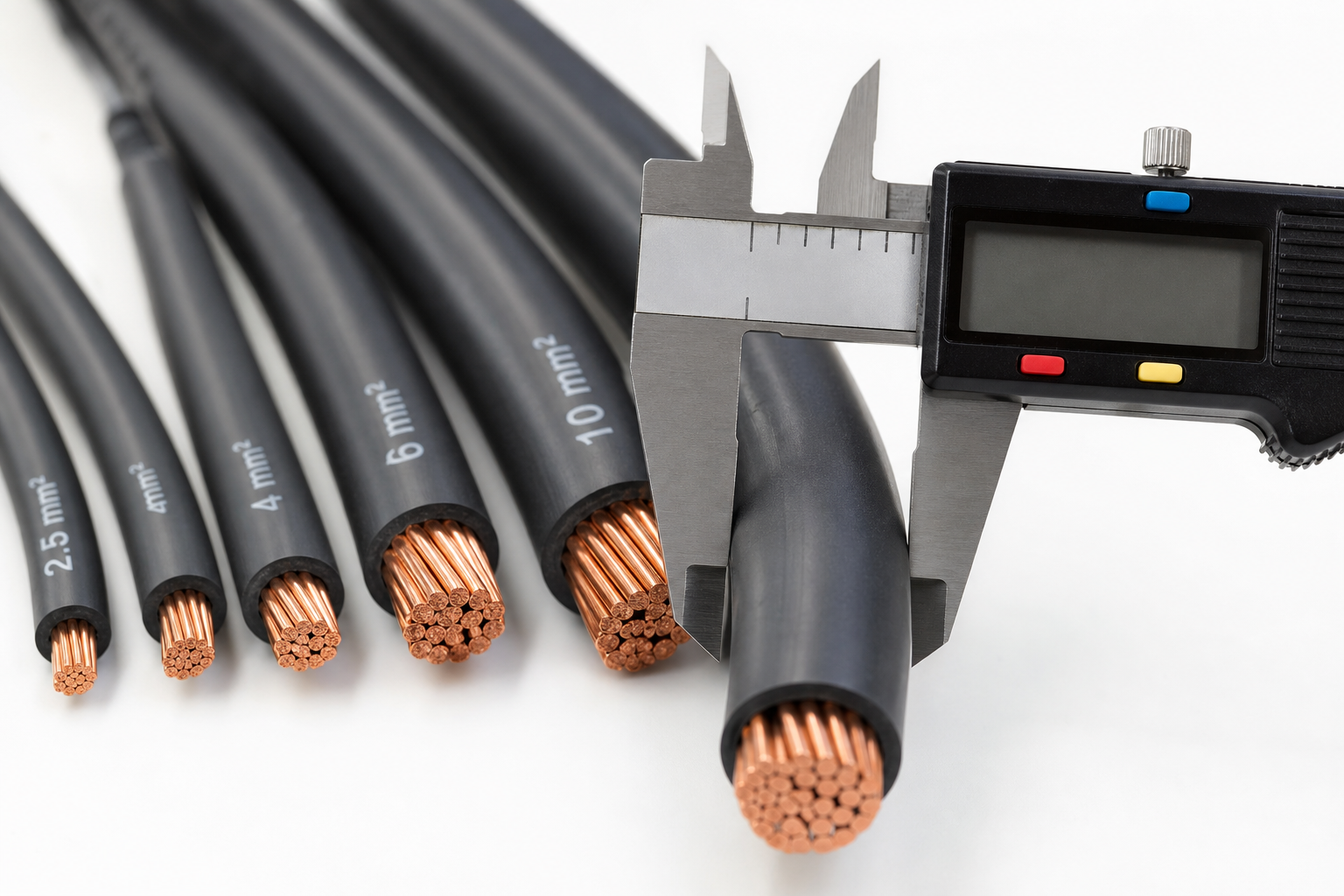
Nine times out of ten, the answer's already printed on the sheath. Look for numbers like '2.5mm²' or '1.5mm²' embossed or printed along the outer jacket. Takes about five seconds and saves all the messing about below.
2. Measure the Conductor
If the markings are missing or worn off — which happens more than it should on older installs — you'll need to measure the conductor directly:
Metric: Strip back the insulation and use a digital calliper to measure the diameter of the bare copper wire. Then plug it into this formula:
Area (mm²) = π × (diameter in mm ÷ 2)²
Imperial: If you've only got inch measurements, convert first (1 inch = 25.4mm), then use the same formula. Same maths, different starting point.
Example:
- You measure a conductor at 1.78mm diameter.
- Area = π × (1.78mm ÷ 2)² ≈ 2.5mm² (rounded)
- In inches: 1.78mm ≈ 0.07 inch. Formula is the same after converting to mm.
How to Calculate the Right Cable Size
Choosing cable without doing a proper calculation is like doing the weekly shop with no list and a blindfold — you'll either come back with too little or spend a fortune on things you don't need. Three things drive the decision:
- Current load (Amps) — total power drawn by the appliances on the circuit.
- Cable length — longer runs lose more voltage along the way, so you may need to upsize.
- Installation method — cables buried in insulation or bunched in trunking can't shed heat as easily, which means they need to be derated or upsized accordingly.
The full calculation can get involved, which is exactly why a cable size calculator earns its keep. Plug in your figures and it'll give you a safe recommendation. That said, always cross-check the result against current regulations or run it past a qualified electrician before you commit.
Worked Example: Sizing a Cable for a UK Socket Ring
Let's make this concrete. Say you're wiring a new socket ring main for a living room:
Situation: You're wiring a new socket ring main for a living room. The circuit will supply up to 25A, and the cable runs are up to 30 metres (about 98 feet).
- Current load: 25A
- Length: 30m (98ft)
- Installation: Cables clipped direct to wall
Feed those numbers into a cable size calculator and it'll point you towards a minimum of 2.5mm² twin and earth — which is exactly what UK standards call for on socket ring circuits. No surprises, no guesswork, job done.
How to Identify Cable Size if You're Unsure
Quick checklist when you're standing there squinting at a cable:
- Look for markings: Check the sheath for size info — it's usually there.
- Measure as above: Calliper on the bare conductor, then run the formula.
- Compare to known samples: Hold your cable next to a known 2.5mm² or 1.5mm² cable — you'll feel the difference.
- Ask an electrician: If you're still not sure, get professional advice. A five-minute call beats a rewire.
Questions People Are Actually Asking
How to measure cable size UK?
Strip back the sheath and measure the diameter of the bare copper conductor (not the insulation) using a calliper. Then calculate the cross-sectional area in mm² using: Area = π × (diameter ÷ 2)². Quicker option: check for printed markings on the cable sheath — they're there more often than people think.
How to calculate cable size UK?
You need three inputs: the load in amps, the cable length, and how the cable's being installed. Feed those into a cable size calculator and you'll get a recommended size. For anything non-standard, cross-reference with the IET Wiring Regulations.
How to identify cable size UK?
Start with the sheath — markings like '2.5mm²' or '1.5mm²' are usually printed or embossed along it. If they're not visible, measure the conductor diameter and calculate the area. A sizing chart or calculator will confirm what you've got.
How to measure electrical cable size UK?
Use a calliper on the bare copper conductor. Don't include the insulation in your measurement — that's just the wrapper, not the cable size. Calculate the area in mm², or hold it next to a known cable size for a quick comparison.
How to measure electrical cable size UK calculator?
Head to an online cable size calculator, enter your current load, cable length, and installation method, and it'll estimate the minimum safe cable size in mm². Takes about a minute and removes a lot of the guesswork.
How to identify electrical cable sizes UK?
Check the sheath for markings first — that's always the quickest route. If they're missing, measure the conductor and calculate the mm² area, or compare against a sizing chart. Either way, don't rely on guessing by eye.
What size cable for UK sockets?
The standard for UK socket ring mains is 2.5mm² twin and earth cable. For radial circuits, the answer depends on the load and run length — consult the IET Wiring Regulations or run your figures through a cable size calculator to confirm.
Conclusion
Getting cable size right isn't complicated once you know what you're looking at — but it does matter. Whether you're checking existing wiring or planning a fresh install, measure carefully, use a reliable cable size calculator, and don't be too proud to check with a professional if anything doesn't add up. The regulations exist for a reason, and a safe installation is always worth the extra ten minutes.
Free Tools to Put This Into Practice
Reading is one thing — working out your own numbers is what saves time and money. Here are the free HowMuchDoINeed calculators that pair best with this guide:
- Cable Size Calculator — work out exactly how much you need and what it will cost.
- Skip Size Calculator — work out exactly how much you need and what it will cost.
- Pipe Sizing Calculator — work out exactly how much you need and what it will cost.
- Breaker Size Calculator — work out exactly how much you need and what it will cost.
Explore every free calculator on HowMuchDoINeed — no sign-up required.